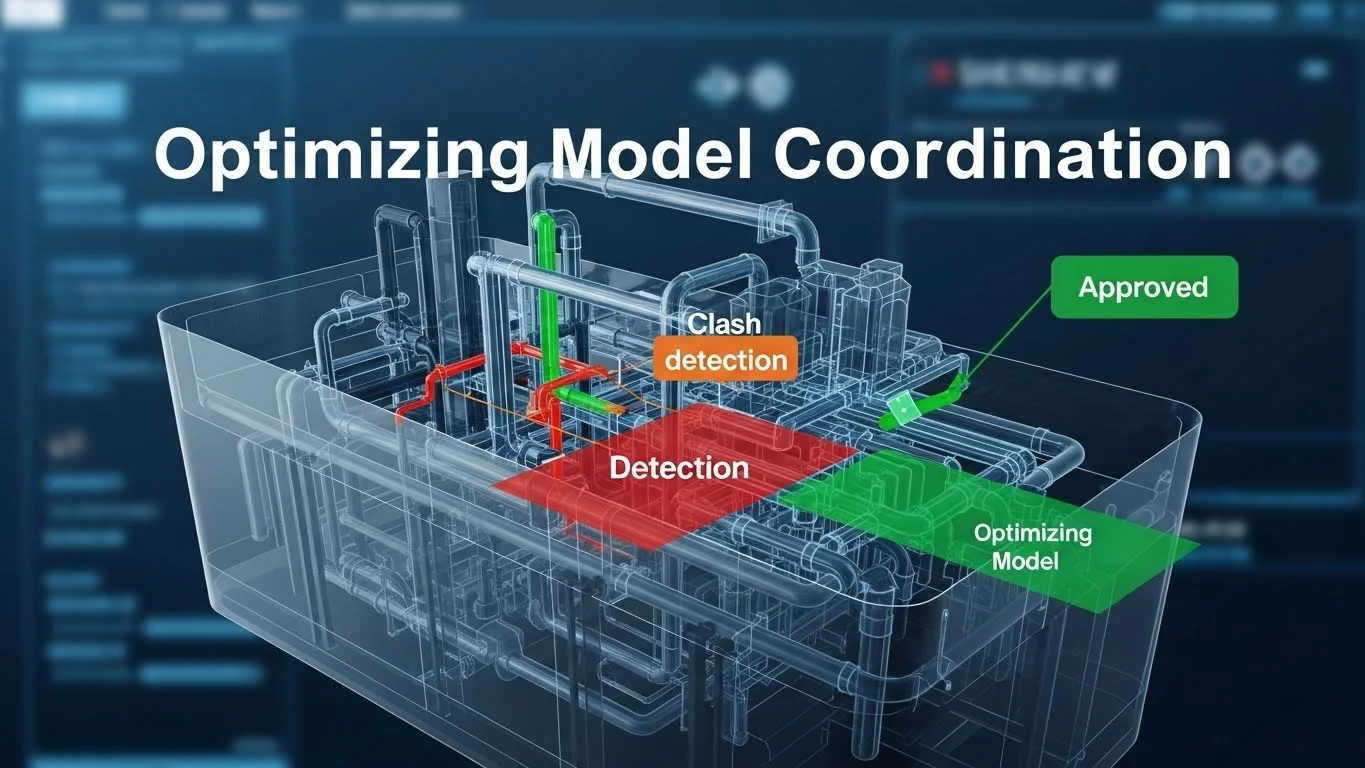
The preconstruction phase is the fulcrum upon which a project balances. It is the period where the cost of change is lowest, yet the potential to influence value is highest. In the modern construction landscape, preconstruction has evolved from a series of static budget checks and Gantt chart exercises into a dynamic, data-rich simulation of the building process. This evolution is driven by Building Information Modelling (BIM).
However, "doing BIM" in preconstruction is not merely about clash detection or 3D visualization. It requires a fundamental shift in how we analyze time, cost, and performance. This guide explores the Analytical side of the BIM ecosystem. We will examine 4D BIM (scheduling) not just as an animation tool, but as a method for validating construction logic and logistics. We will dissect 5D BIM (estimating), moving beyond the "easy button" myth to explore rigorous cost trending and model-based quantity takeoffs. Finally, we will look at 6D analysis, focusing on how early energy modelling can reshape design decisions to meet aggressive sustainability targets like the 2030 Challenge.
By leveraging these tools, construction management teams can transition from reactive builders to proactive analysts, identifying risks in the digital world before they become expensive realities in the physical one.
I. Introduction: Leaning on the Past to Build the Future
To understand the trajectory of construction technology, we must ironically look backward. There is a prevalent misconception that efficiency and "Lean" principles are modern inventions born from software. In reality, the operational excellence required to execute complex projects was mastered nearly a century ago, long before the first line of code was written for Revit or Navisworks.
The Empire State of Mind: A Case Study in Manual BIM
The construction of the Empire State Building in the early 1930s remains one of the most significant achievements in construction management history. Rising 102 stories in just 13 months, it was a feat of logistics that puts many modern projects to shame. The builders, Starrett Brothers & Eken, did not have digital tools, but they possessed a mindset that parallels the core objectives of modern BIM: the elimination of waste and the rigorous pre-planning of every activity.
The War Room Mentality William Starrett viewed the organization of a building project like a military campaign. He believed that a building organization must be led by a "fearless leader who knows the fight from the ground up. This leadership was not just about giving orders; it was about understanding the intricacies of all the complexity of trades and planning for "contingencies of temporary defeat. This is the essence of preconstruction: virtually fighting the battle before deploying the troops.
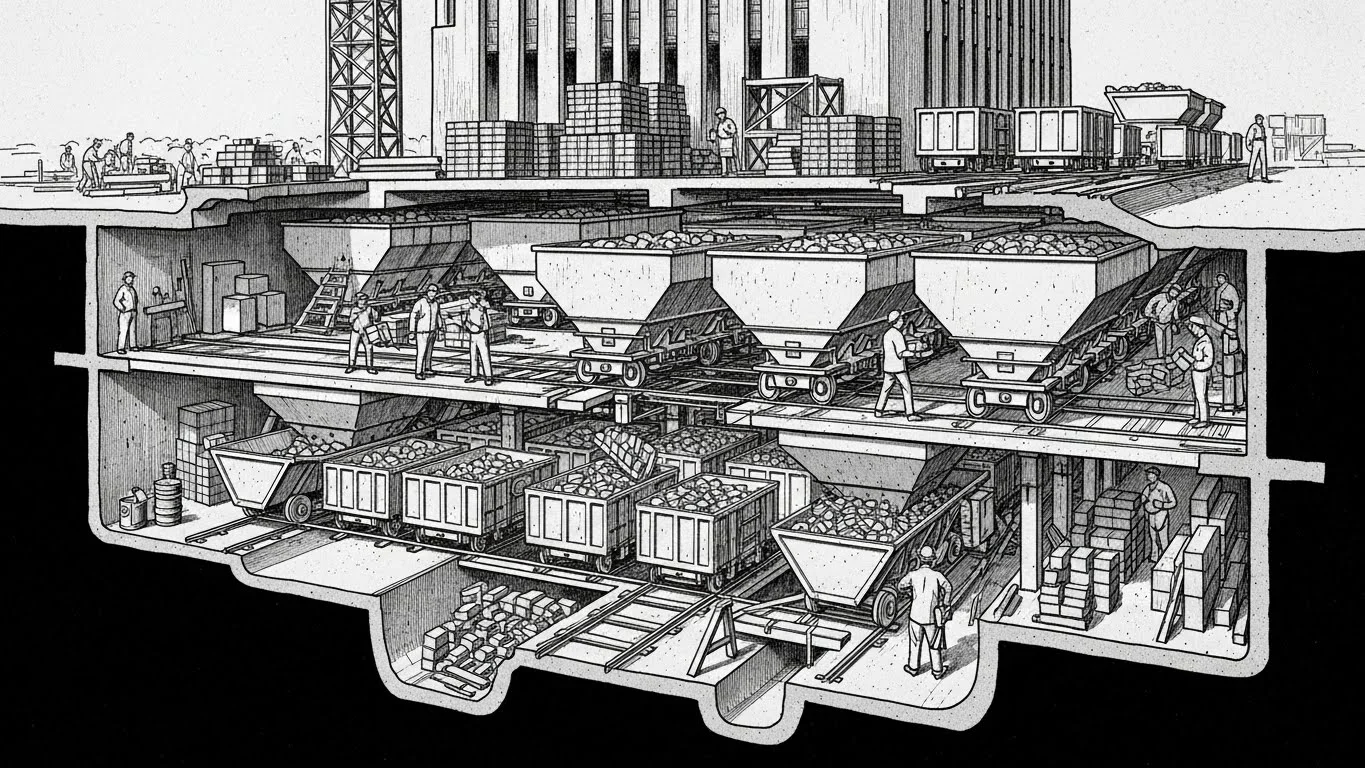
Innovation in Logistics: The Rail System. One of the most striking examples of their "Lean" approach was the handling of bricks. The project required 10 million common bricks for the exterior skin backing. Traditionally, these would be dumped in the street and manually loaded into wheelbarrows—a process rife with "muda" (waste). Starrett Brothers & Eken recognized this inefficiency. They constructed an industrial rail system within the basement of the building. Trucks dumped bricks directly into hoppers, which fed into rocker dump cars. These cars travelled on the rail system to the hoists, were lifted to the active floor, and then moved via rail to the bricklayers.
They calculated that this system saved the labour of 38 men per day. This is the analog equivalent of a site logistics simulation. Today, we use BIM to model crane radii and material paths, but the goal is identical: to optimize flow and "take the work to the man, not the man to the work," a principle Henry Ford championed in manufacturing.
Just-in-Time Steel Erection: The steel schedule for the Empire State Building was a masterpiece of coordination. Because there was no storage space on the crowded streets of Manhattan, steel had to arrive "Just-in-Time" (JIT). Every beam, girder, and column was prefabricated off-site, marked with a specific code indicating its derrick (crane) number and tier location, and delivered exactly when needed. The trucks arrived, the steel was hoisted immediately, and it was bolted into place, often while still warm from the fabrication plant.
This level of detail—tagging individual components for specific installation times—is exactly what we attempt to replicate today with 4D BIM. The Starrett brothers proved that the technology is secondary to the process.
The Jidoka Concept: Automation with a Human Touch
As we adopt modern tools, we must be wary of the "garbage in, garbage out" trap. Automation is powerful, but dangerous if unchecked. Here we turn to the Toyota Production System (TPS) and the concept of Jidoka.
Jidoka translates to "automation with a human touch." In the context of Toyota, it meant that a weaving loom would automatically stop if a thread broke, preventing the machine from producing yards of defective fabric. It empowered the machine to detect a problem, but required a human to fix the root cause.
In BIM preconstruction, Jidoka is the discipline of stopping the process when the data is bad.
- The Trap of Speed: Parametric modelling allows us to generate complex geometry instantly. A novice estimator can click a button and generate a quantity takeoff. But if the modeller used a "generic wall" type instead of a specific assembly, the data is defective.
- Building Quality In: Jidoka emphasizes building quality into the process rather than inspecting for it later. In preconstruction, this means validating the model's constructability during design, not just running a clash detection report at the end. It means using the model to expose logic errors early, acting as the "automatic stop" before the project proceeds to construction, where the cost of error is exponential.
II. 4D BIM: Model-Based Scheduling and Logistics
Time is the fourth dimension of construction. Traditional Critical Path Method (CPM) schedules—lines and bars on a Gantt chart—are the industry standard, yet they are fundamentally disconnected from the spatial reality of the job site. Studies suggest that traditional project schedules are often wrong up to 70% of the time. They are abstract representations of a physical process, often created in a vacuum by a scheduler who may not be intimate with the daily logistics of the field.
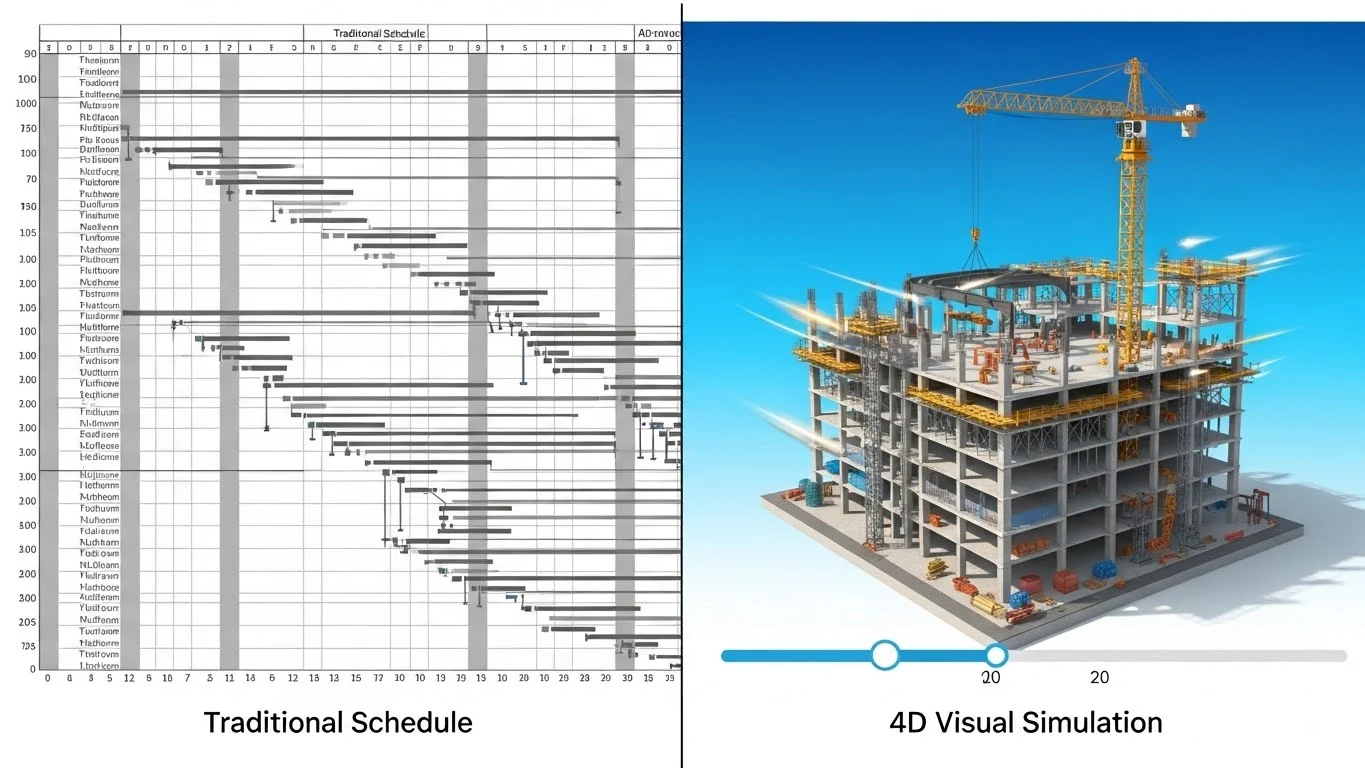
4D BIM bridges this gap by linking the 3D model elements to the schedule activities. This schedule from a static document into a dynamic simulation of the construction sequence.
Beyond the Gantt Chart: Visual Validation
The primary value of 4D is not the "Hollywood" animation used in marketing interviews; it is the rigorous stress-testing of the construction logic.
- Visualizing Logic: When a schedule is linked to a model, logic errors become visually obvious. You might see a steel beam appear in mid-air before the column below it is erected, or a concrete slab poured before the decking is installed. These are "hard logic" errors that a Gantt chart might hide in the complexity of thousands of line items.
- Communication: A 4D simulation serves as a universal language. While a subcontractor might struggle to trace the logic links in a 5,000-line Primavera schedule, they can instantly understand a video showing their pipe installation blocked by a duct installed the week prior.
Sequencing Conflicts: Clash Detection Against Time
Most BIM professionals are familiar with spatial clash detection (e.g., a pipe hitting a beam). 4D introduces the concept of temporal clash detection, or clashes against time.
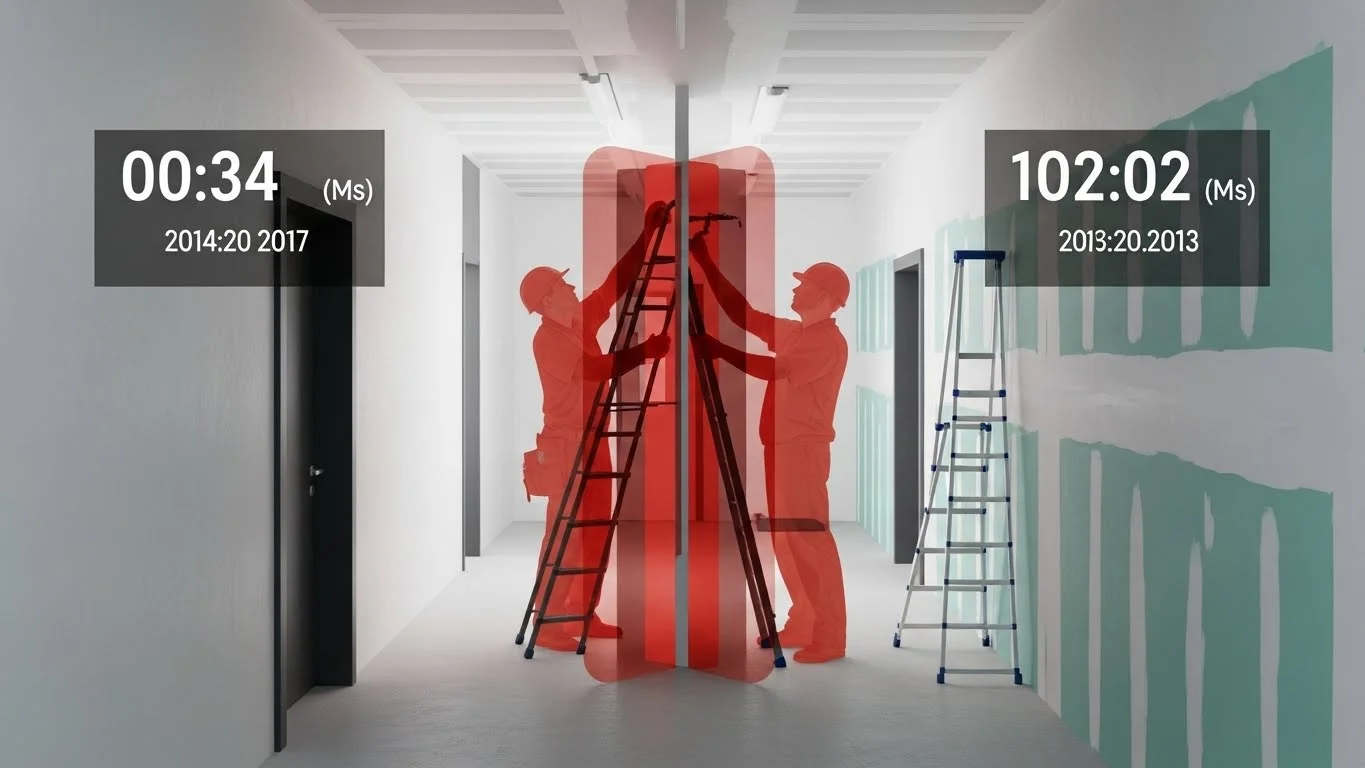
- Soft Clashes: These are conflicts where two objects do not physically touch, but their relationship in time creates a problem. For example, a "clearance blob" for a forklift needs to move through a corridor. If the schedule shows the drywall being finished in that corridor before the large equipment is moved in, it is a soft clash. The equipment won't physically fit through the finished space, even though the final model shows the equipment sitting happily in the room.
- Curing and Lag Times: 4D allows us to visualize non-physical activities. We can code the model to represent concrete curing times visually—perhaps the slab turns red during the cure period. If the simulation shows a heavy crane moving onto that slab while it is still "red," the team knows they have a structural risk that the Gantt chart might have missed.
- Workspace Management: Construction sites are crowded. We can model "crew workspaces"—volumes of space required for a trade to work safely. If the 4D simulation shows the electrician's workspace overlapping with the mason's workspace in a small room on the same day, we have identified a safety hazard and a productivity bottleneck.
Site Logistics and Safety Planning
In dense urban environments, the site logistics are the project. BIM allows us to model the temporary conditions that enable the build.
- Crane Analysis: We can model crane locations and simulate their swing radii in 3D. This ensures that the crane can reach all pick points (staging areas and installation points) without colliding with adjacent buildings or other cranes. We can visualize the "blind spots" for the operator and plan accordingly.
- Safety Perimeters: 4D models can visualize safety hazards dynamically. As steel erection progresses overhead, the model can show the required "danger zone" on the ground that must be cordoned off. As the steel moves up, the zone moves. This dynamic safety planning helps logistics managers keep the site safe without shutting down unnecessary areas.
- Material Laydown: Using the "Just-in-Time" principles from the Empire State Building, 4D helps manage laydown space. The simulation might reveal that the area designated for rebar storage in Month 2 is actually being excavated for utility lines in the same week. Identifying this conflict in preconstruction prevents a chaotic scramble on site.
III. 5D BIM: Model-Based Estimating and Cost Trending
5D BIM involves linking cost data to the model components. It is is often touted as the "Holy Grail" of BIM—the ability to generate an instant estimate from a design model. However, experienced estimators know that "instant" often means "inaccurate" if the underlying process is flawed.
The "Garbage In, Garbage Out" Problem
A model is a database. If the data entered is poor, the estimate extracted will be worthless. This is where the concept of Family Types vs. Instance Properties becomes critical.
- The Renaming Trap: In Revit, a lazy modeller might take a "6-inch Concrete Floor" family, duplicate it, and rename it "12-inch Concrete Floor" without actually changing the thickness parameter in the object's structure properties.
- The Result: The visual model might look correct (or close enough), and the tag on the drawing will say "12-inch." But the estimator, relying on the model's volume calculation, will extract a quantity based on the 6-inch geometry. The estimate will be short by 50% on the concrete volume for that slab.
- Mitigation: Preconstruction teams must audit models before extracting quantities. This involves checking that the "Type Name" matches the physical parameters. It requires a high "Information Quality" (IQ) in the model.
The Hybrid Approach
Because design models are rarely perfect or complete, a Hybrid Approach to estimating is the industry's best practice.
- Model-Based Takeoff: Use the model to extract complex or high-volume quantities that are tedious to count manually (e.g., cubic yards of concrete, square footage of drywall, linear feet of curtain wall).
- Manual Gap Filling: Estimators must manually account for items that are not
modelled. This includes:
- Non-Geometric Costs: General conditions, permits, insurance, overhead.
- Detail Items: Rebar (often not modelled to fabrication level in design), screws, sealants, and blocking.
- 2D Verification: Use 2D details to verify the specific assembly "recipes." The model gives the square footage of the wall, but the 2D detail confirms it is a high-end acoustic partition requiring extra layers of sheetrock and insulation.
Cost Trending and Target Value Design
The true power of 5D is not in generating one final bid, but in Cost Trending. This involves tracking how the cost of the project evolves from concept to construction documents.
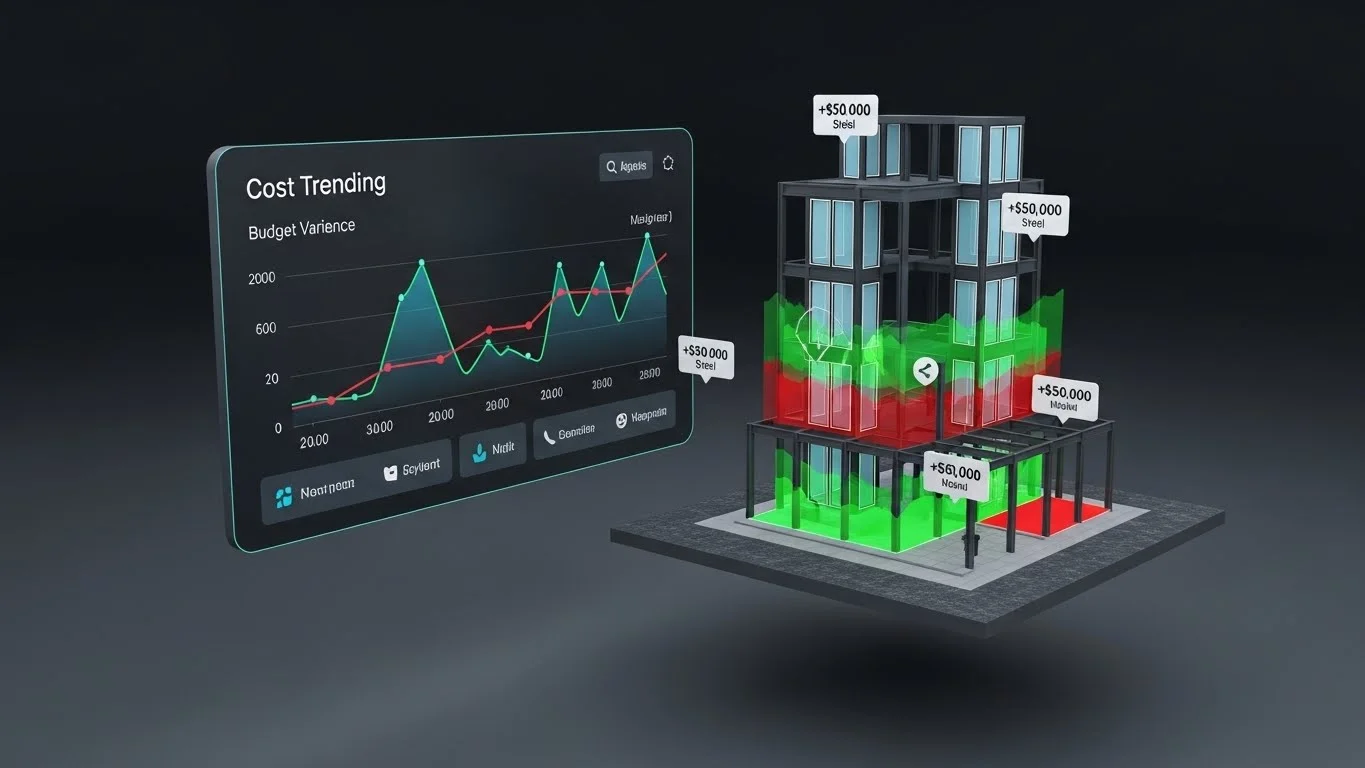
- Visualizing Variance: Tools like Assemble Systems allow estimators to publish different versions of the model (e.g., "50% DD" vs "75% DD"). The software compares the two databases and highlights the variance. It can generate a report saying, "The glazing package increased by $50,000," and visually highlight the specific windows that were added or enlarged in the model.
- Target Value Design (TVD): This real-time feedback loop allows the team to practice TVD. Instead of waiting weeks for a full estimate (by which time the design has progressed further), the estimator can provide immediate feedback: "That design change you made yesterday added 20% to the structural steel budget." The design team can then pivot immediately to stay within the target budget.
Design Structure Matrix (DSM)
Preconstruction is also about scheduling the design itself. One advanced analytical method is the Design Structure Matrix (DSM). Design is iterative; a change in the mechanical load affects the electrical service, which affects the room size, which affects the structural grid.
- The Incremental Dilemma: Traditional schedules assume design is linear (Architecture -> Structure -> MEP). In reality, it is a web of interdependencies.
- DSM Analysis: DSM is a grid-based tool that maps these dependencies. It helps teams identify "loops" of information—cycles where one discipline is waiting on another, which is waiting on the first. By identifying these loops, the preconstruction team can schedule information exchanges (e.g., "We need the equipment weights by Jan 15th") to break the deadlock and allow the design to proceed efficiently.
IV. Sustainability and Energy Analysis (6D)
We have analyzed time (4D) and cost (5D). Now we must analyze performance. Decisions made during the preconstruction phase—specifically orientation, massing, and glazing—have the highest impact on a building's lifecycle energy use.
The 2030 Challenge
The construction and operation of buildings are responsible for nearly half of the US energy consumption. The 2030 Challenge, adopted by many firms and organizations like the AIA and USGBC, sets aggressive targets for fossil fuel reduction, aiming for carbon-neutral buildings by the year 2030. Meeting these targets is mathematically impossible without sophisticated analysis during preconstruction.
Real-Time Analysis with Sefaira
In the past, energy modelling was a post-design activity. Architects would finish a design and send it to an engineer, who would run a "compliance model" to prove it met code. If it failed, it was too late to make fundamental changes.
- Analysis at the Source: Tools like Sefaira (now part of SketchUp/Trimble) integrate analysis directly into the design authoring tools. This allows architects to run analysis in real-time as they model.
- Rapid Iteration: A designer can rotate the building on the site and instantly see the impact on solar heat gain. They can change the window-to-wall ratio and see how it affects the Energy Use Intensity (EUI). This "iterative analysis" allows the team to find the sweet spot between aesthetics and performance.
Balancing Daylighting and Thermal Load
One of the classic trade-offs in building design is between daylighting and cooling load.
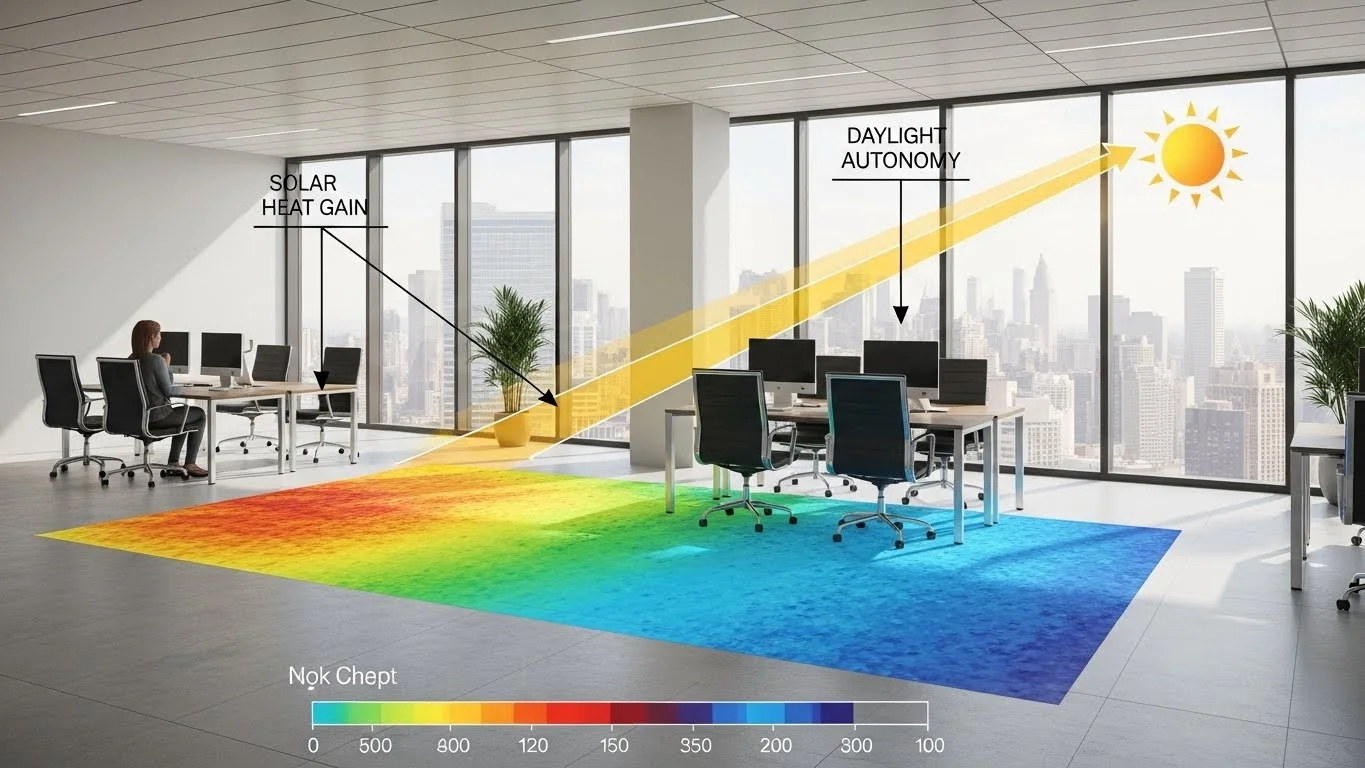
- The Conflict: We want natural light (daylighting) to improve occupant health and reduce the need for artificial lights. However, more windows mean more solar heat gain, which increases the size and cost of the HVAC system (thermal load).
- The Simulation: 6D analysis tools can simulate daylight penetration into the floor plate. They generate "heat maps" showing which areas of the floor plan receive sufficient natural light. Simultaneously, they calculate the cooling load.
- The Solution: Using this data, preconstruction teams can optimize the design. They might add shading devices (brise soleil) to block direct sun (heat) while allowing ambient light in. Or they might change the glass specification on the south façade while keeping cheaper glass on the north. This level of optimization saves operational costs for the lifetime of the building.
V. Logistics and Planning: The Virtual Job Trailer
As we move closer to mobilization, the analysis shifts from "what are we building" to "how are we organizing the site." The modern job site is becoming a digital hub, and preconstruction is where this hub is designed.
The Modern War Room
Starrett Brothers & Eken had a physical war room. Today, we have the Virtual Job Trailer.
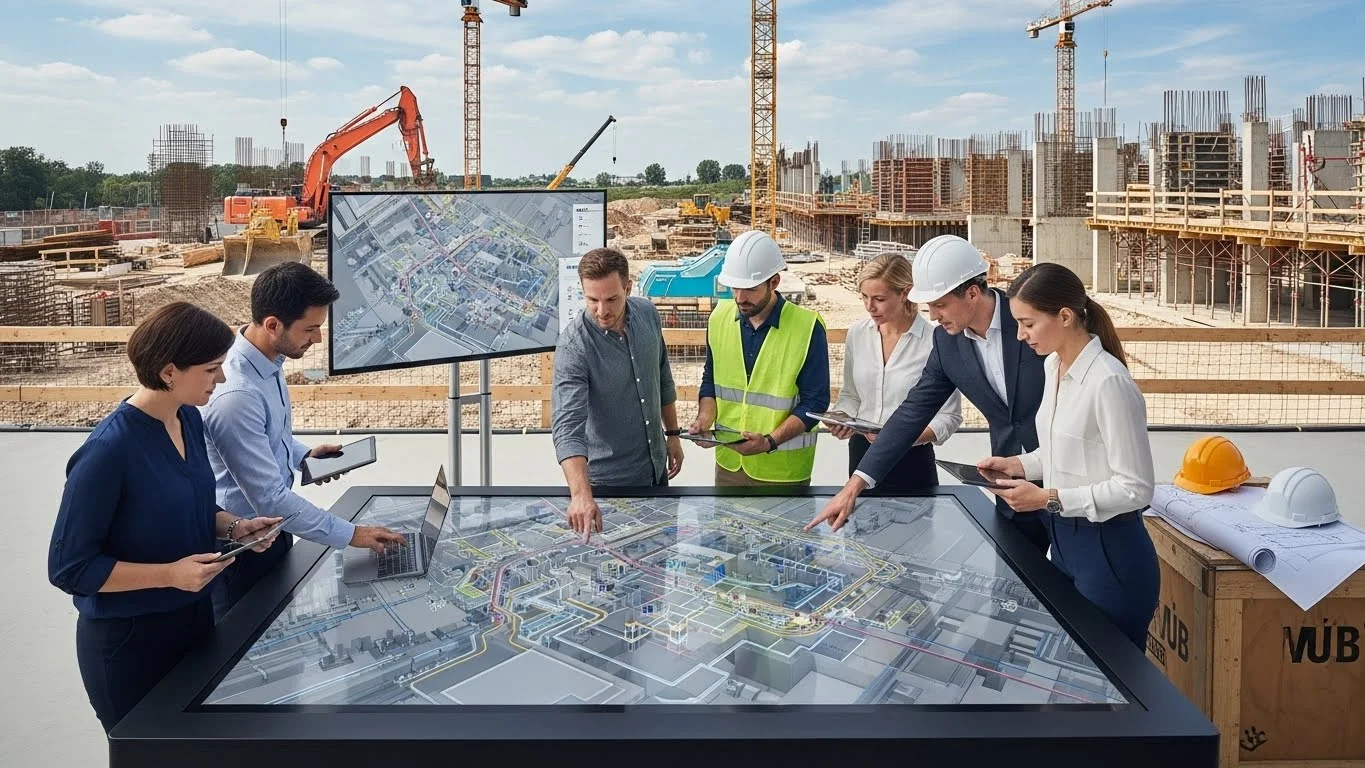
- Digital Plan Tables: Large touch-screen monitors are now standard in field offices. These allow superintendents to pull up the 3D model, overlay the schedule, and discuss logistics with foremen.
- The "Links" Tool: In preconstruction, we can embed data into the model that will serve the field team. We can link submittals, installation manuals, and safety videos directly to the model objects. When a worker clicks on a pump in the model, they don't just see geometry; they see the installation manual and the "Approved for Construction" stamp.
- Setting up the Hub: Successful BIM execution requires planning the infrastructure. This includes ensuring the job trailer has sufficient internet bandwidth (to handle gigabytes of model data), the right viewing hardware (screens/tablets), and the right software ecosystem (cloud access like BIM 360 or Procore).
VI. Conclusion: The Analytical Advantage
The transition from 2D planning to BIM-based preconstruction is a transition from guessing to knowing.
- From Abstract to Concrete: 4D scheduling takes the abstract logic of a Gantt chart and forces it to confront the physical reality of space and time. It exposes the "soft clashes" that kill productivity.
- From Opinion to Data: 5D estimating moves us away from "rule of thumb" pricing to data-driven quantities and rigorous cost trending. It allows us to track the financial health of the project in real-time.
- From Compliance to Performance: 6D analysis moves sustainability from a checklist to a design driver, enabling us to build facilities that are responsible stewards of energy.
By investing effort in this lifecycle—by analyzing, simulating, and optimizing in the digital world—we honour the legacy of the master builders. We utilize the Jidoka principle to stop the line when we see a virtual error, ensuring that when the real steel arrives on site, it fits, it flows, and it performs.