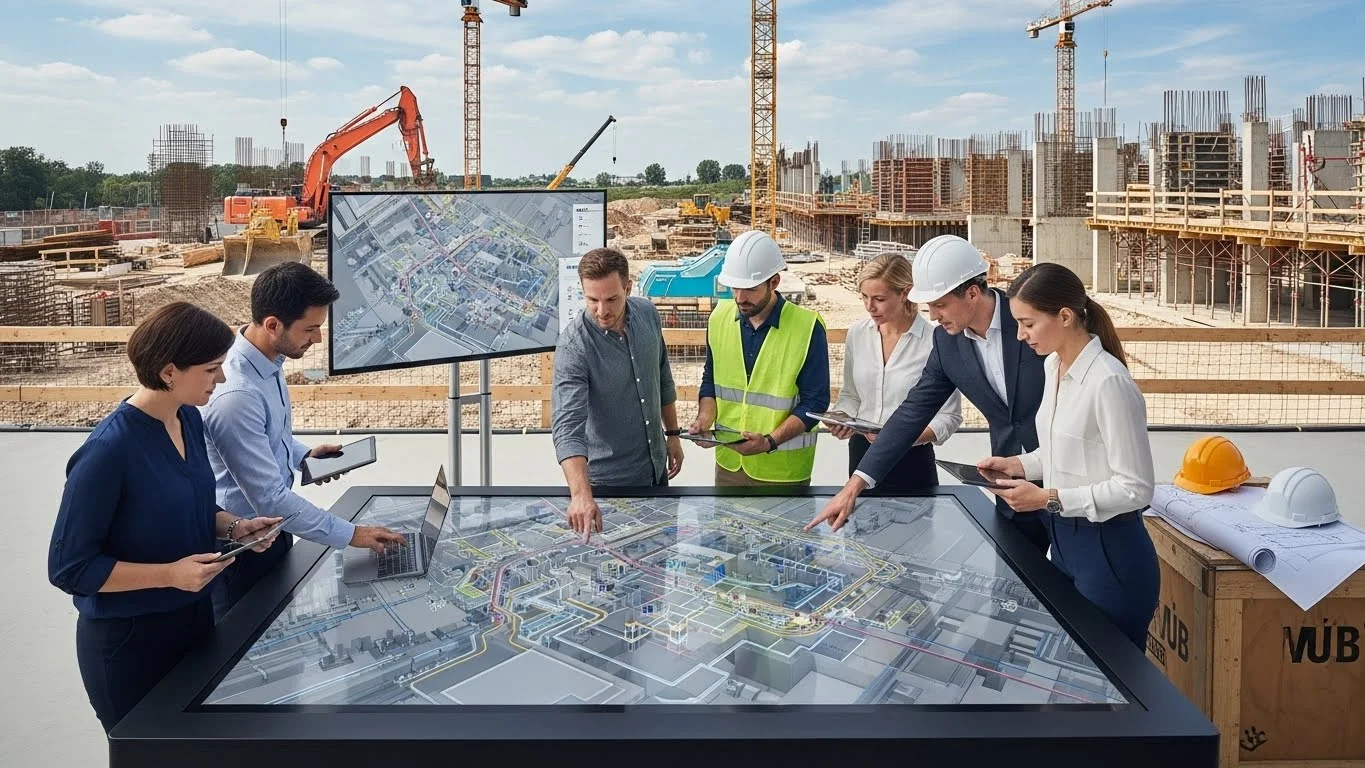
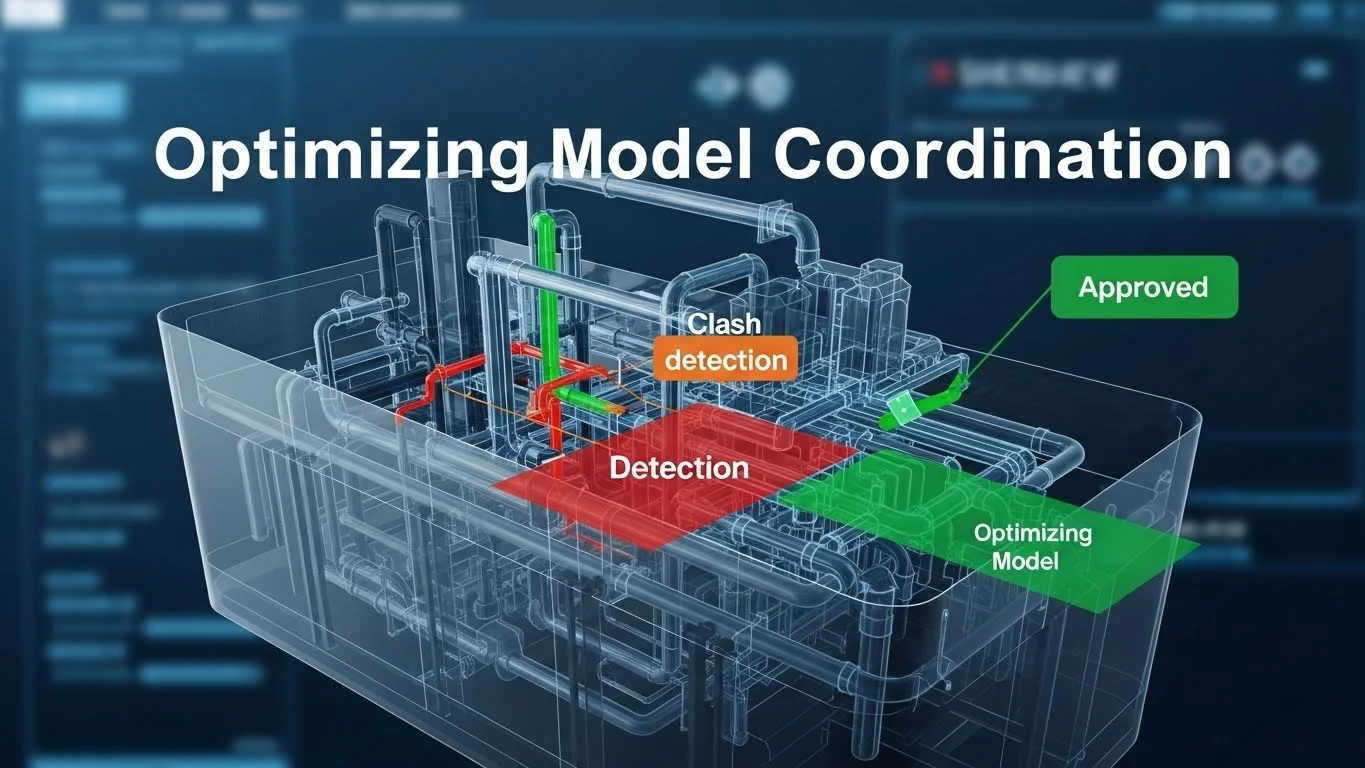
For decades, the construction industry has suffered from a critical fracture: the "digital divide" between the office and the field. While architects and engineers in the office optimize designs using advanced Building Information Modelling (BIM) software, the field personnel—the individuals actually pouring the concrete and hanging the pipe—have largely remained disconnected, relying on static, often outdated paper drawings. This disconnection is the primary source of the "information latency" that plagues construction projects, leading to rework, schedule delays, and blown budgets.
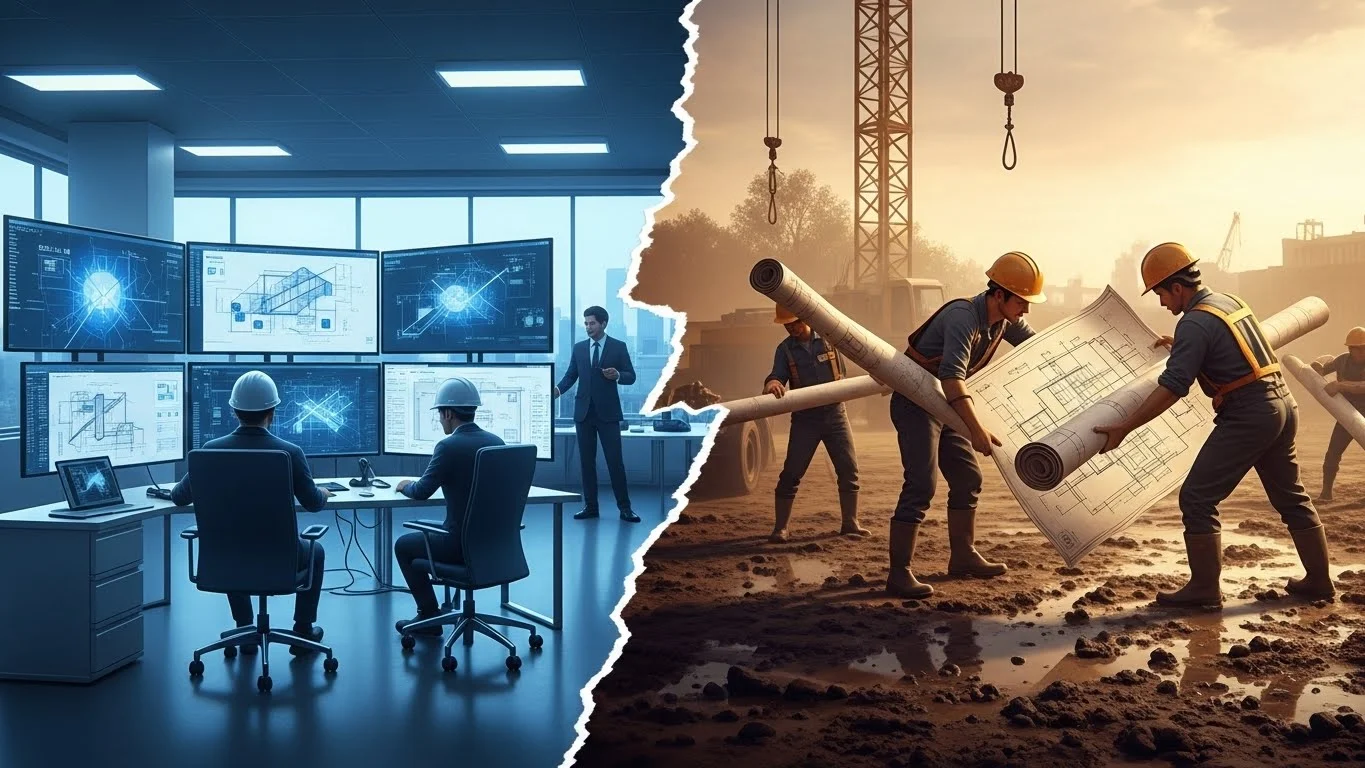
This guide, a part of our Information Lifecycle series, focuses on bridging that gap. It is not merely a review of gadgets; it is a strategic blueprint for the Virtual Job Site. We will explore how to deploy a hardware infrastructure that survives the harsh reality of a construction zone. We will detail the software workflows required to transition from paper to "smart" digital documents. We will examine the use of mobile applications for real-time quality assurance and the implementation of QR codes to link the physical asset to its digital twin. By integrating mobile technology with BIM, we move from a "push" system of information delivery to a "pull" system, empowering the field to build with the same precision with which the office designs.
I. The Disconnect: Office vs. Field
To solve a problem, we must first understand its anatomy. The construction industry has traditionally been bifurcated into two distinct cultures: the "BIM minority" in the office and the "traditional majority" in the field.
The Knowledge Gap and Information Latency
In a traditional workflow, the "BIM minority"—comprising VDC managers, detailers, and coordinators—creates a data-rich 3D model. They solve complex clashes, analyze energy performance, and optimize logistics. However, once this process is complete, the rich data is often "flattened" into 2D PDF drawings for the field.
- The Translation Loss: When a 3D model is converted to 2D paper, the intelligence is stripped away. A pipe in a model knows it is a "4-inch Chilled Water Return, Schedule 40 Steel." A line on a paper drawing is just a line. The field superintendent has to interpret that line, often cross-referencing three other drawing sheets to understand the context.
- The Latency Problem: In a paper-based workflow, information travels slowly. If a design change happens in the office on Monday, it might be printed on Tuesday, shipped on Wednesday, and arrive at the trailer on Thursday. By the time the revised drawing reaches the foreman on the fourth floor, the wall might have already been framed incorrectly. This "information latency" is the root cause of millions of dollars in rework annually.
The Cultural Struggle
The resistance to technology in the field is rarely about a lack of intelligence; it is about a lack of utility. Field personnel are pragmatic. They are paid to put work in place, not to fiddle with tablets.
- The "Toy" Perception: If a Superintendent is handed an iPad that crashes, has a dead battery, or cannot open a large drawing file quickly, they will view the device as a toy rather than a tool. They will revert to the "tried and true" roll of paper because it never runs out of batteries and never buffers.
- Respecting the Craftsman: Successful technology integration requires respecting the craftsman's workflow. The goal is not to force them to become computer scientists, but to provide tools that eliminate their frustrations—tools that ensure they are building off the current set, that make looking up an RFI (Request for Information) instant, and that automate the tedious paperwork of daily logs.
The Goal: The Connected Hub
The objective of this article is to transform the job site from a passive recipient of information into an active participant in the data lifecycle. We aim to create a Connected Hub where information flows bidirectionally.
- Downstream Flow: The latest models, drawings, and submittals flow instantly from the cloud to the field devices.
- Upstream Flow: As-built conditions, progress photos, QA/QC checklists, and safety issues flow instantly from the field back to the office/model.
II. The Virtual Job Trailer: Infrastructure and Setup
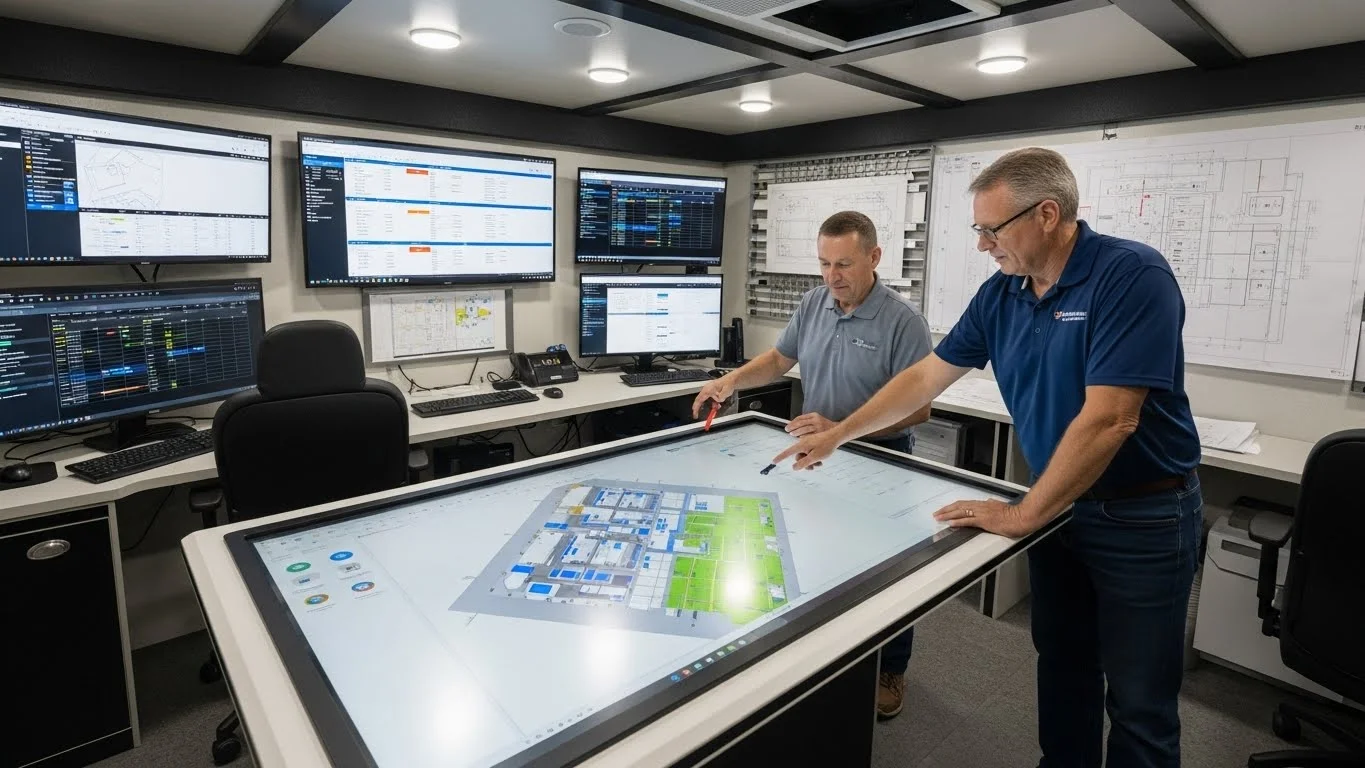
The "Virtual Job Trailer" is the command center of the modern project. It is no longer sufficient to have a trailer with a coffee pot and a rack of paper drawings. The modern trailer must be configured as a high-speed data server, a communication hub, and a digital collaboration space.
Hardware Setup: Building the Digital Plan Room
The physical environment of the trailer must support digital workflows. This involves more than just buying a few laptops.
1. The Digital Plan Table (The "BIM Kiosk")
The centrepiece of the virtual trailer is the digital plan table. This is typically a large-format (55-inch to 80-inch) touch-screen monitor mounted on a rolling stand or a drafting table assembly.
- Commercial Grade vs. Consumer: A common mistake is buying a consumer-grade television from an electronics store. These screens are not designed for 12 hours of static image display (burn-in risk) or the dust and vibration of a job site. Commercial-grade digital signage displays or purpose-built touch tables are required. They feature toughened glass, higher brightness (nits) for viewing in daylight, and heavy-duty cooling.
- The PC Module: These screens should be driven by a high-performance PC, often mounted directly to the back of the screen (NUC or similar small form factor). This PC needs a dedicated graphics card capable of navigating a large Navisworks model without lag. Nothing kills adoption faster than a choppy, lagging model.
- Use Case: During morning stand-up meetings, the superintendent brings up the 3D model and the 2D sheets side-by-side. Instead of pointing at a vague 2D detail, they rotate the model to show the complex rebar congestion at a specific column-beam node. The foremen leave the meeting with a clear mental image of the task.
2. Network Topology and Connectivity
BIM files are massive. A federated Navisworks file can easily exceed hundreds of megabytes, and point cloud data can reach terabytes. A standard cellular hotspot is insufficient.
- Local Caching: The trailer should act as a local server (or use an appliance like a Riverbed accelerator). This allows the heavy model data to download once overnight to the local server. When five engineers try to open the model in the morning, they pull it from the local server at gigabit LAN speeds rather than clogging the internet connection.
- Mesh WiFi: The trailer is just the start. The connectivity must extend to the "coal face" of the work. On high-rise projects, this often involves deploying a Mesh WiFi network that grows with the building. Wireless access points are mounted on temporary power poles or the climbing formwork system, ensuring that a foreman on the 30th floor can still sync their iPad.
Digital Document Control: The End of "Stick Sets"
In the old world, the "Stick Set" (the master set of drawings kept in the trailer) was the bible. Apprentices spent hours unbinding the set, removing old sheets, and taping in new revisions. It was slow, prone to human error, and physically limited to one location.
The Hyperlinked PDF Ecosystem
The digital replacement is a hyperlinked "Smart PDF" set, often managed in software like Bluebeam Revu.
- Hyperlinking: A smart set is fully interconnected. When you see a section cut bubble on the floor plan (e.g., "A5/S-101"), you can click it, and the software instantly jumps to that specific detail on the structural sheet. This saves the "mental friction" of flipping pages and searching grid lines.
- RFI Linking: When an RFI is answered, the solution is not just filed in a folder; it is hyperlinked directly to the drawing. A cloud bubble is drawn around the affected area on the floor plan, and the RFI document is attached. When a worker clicks the cloud, the RFI opens. This ensures that no one builds the "old way" because they didn't know an RFI existed.
The Art of "Slip-Sheeting"
One of the most critical workflows in digital document control is Slip-Sheeting. This is the process of inserting a revised drawing (e.g., Revision 4 of Sheet A-101) into the master set while preserving all the markups, notes, and hyperlinks from the previous version.
- The Problem: If a superintendent has spent weeks marking up the wall layout on Sheet A-101, they do not want to lose those notes when the architect issues a revision.
- The Automated Solution: Advanced PDF software (like Bluebeam) features
"Batch Slip Sheet" automation.
- The software analyzes the new set of drawings.
- It matches page labels (A-101 to A-101) using Optical Character Recognition (OCR).
- It inserts the new sheet underneath the markups of the old sheet.
- It marks the old sheet as "Superseded" and moves it to a history folder.
- It highlights the differences between the two versions (e.g., red for deletions, green for additions). This process, which used to take a Project Engineer days of manual cutting and pasting, now takes minutes. It ensures the field is always building from the latest information without losing historical context.
III. Mobile Applications and Field Management
Once the trailer is established as a data hub, the next step is untethering the staff. The goal is to move the BIM from the desktop in the trailer to the hands of the workforce.
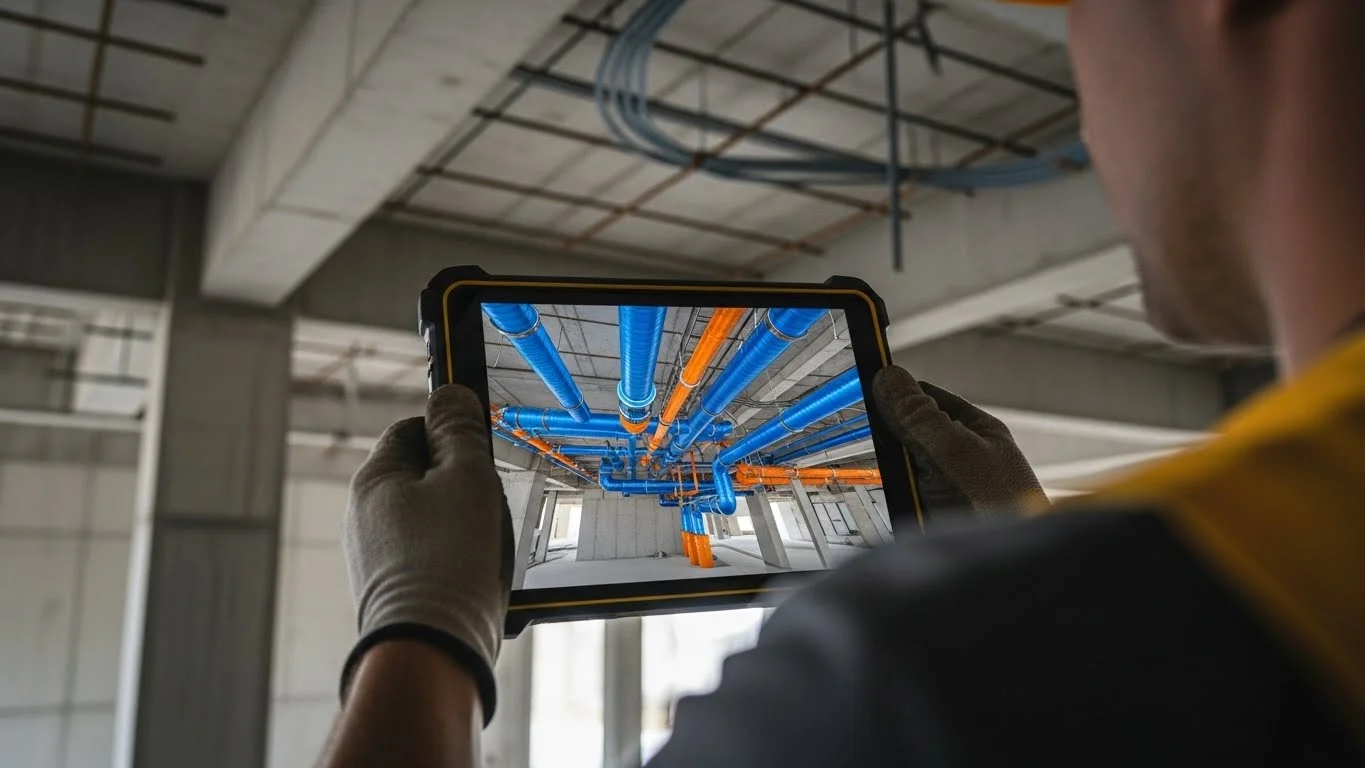
The Tablet as a Window to the Model
Ruggedized tablets (e.g., iPads in Otterbox cases or Panasonic Toughpads) are the standard interface. However, the hardware is only as good as the software ecosystem.
- Cloud-Based Viewers: Apps like Autodesk BIM 360 (now Autodesk Build), Procore, or Revizto allow users to stream large models to mobile devices. They use "level of detail" (LOD) streaming technology, rendering only what is in the user's field of view to keep performance high.
- Location Awareness: Modern apps allow the user to navigate the 2D floor plan. By tapping on a room (e.g., "Conference Room 104"), the app jumps the 3D view to that location, orienting the camera to match the worker's perspective. This "2D-to-3D" navigation is critical for users who are not comfortable flying a camera in 3D space.
Issue Management and QA/QC
The most immediate ROI for mobile field technology is in Quality Assurance/Quality Control (QA/QC) and Issue Management.
The Digital Punch List
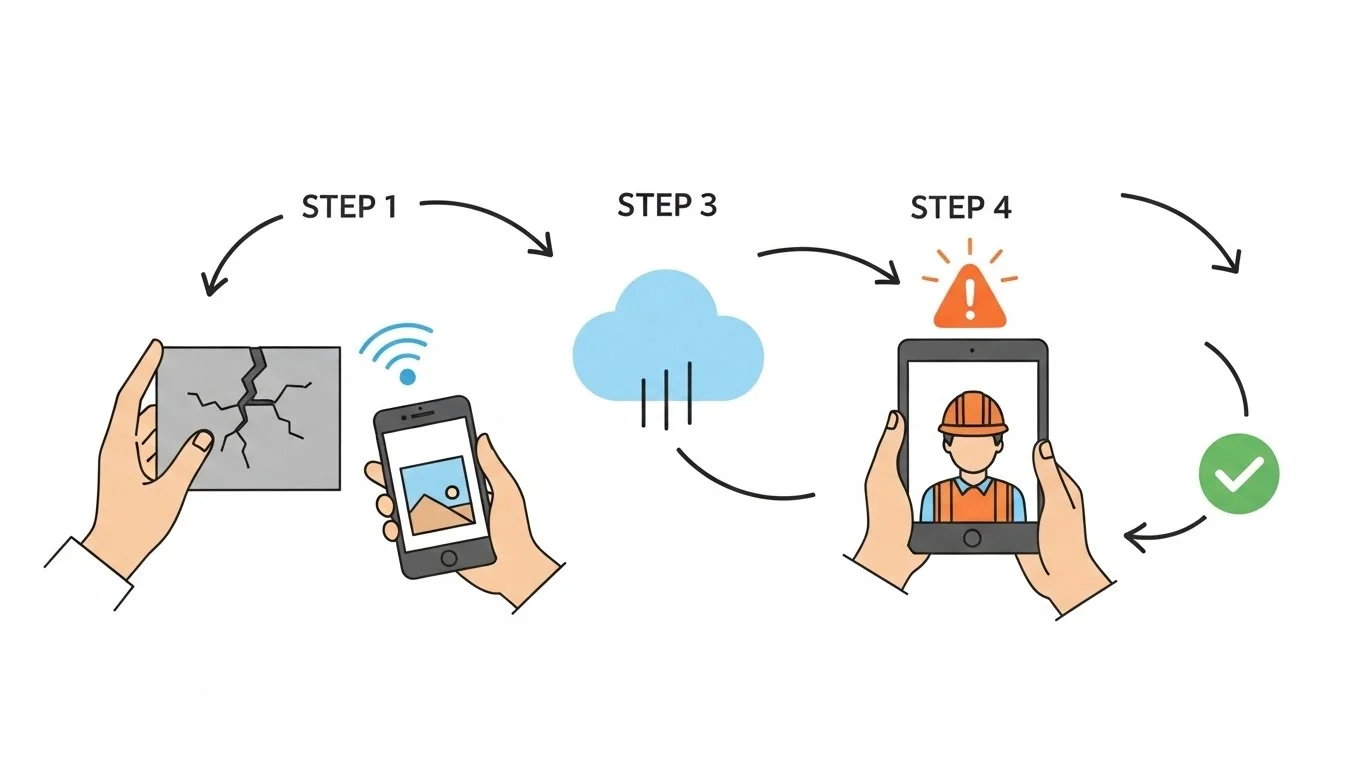
Traditionally, a punch list (snag list) was created at the end of the project using a notepad and a voice recorder. The superintendent would walk the job, write "scratched paint," take a photo with a separate camera, and then spend hours in the office typing up a spreadsheet and matching photos to room numbers.
- The Mobile Workflow: With a tablet, the process is integrated.
- The user walks through the room and spots an issue.
- They tap the location on the digital floor plan.
- They take a photo directly within the app.
- They assign a "Root Cause" (e.g., "Workmanship") and a "Responsible Company" (e.g., "Painting Subcontractor").
- The issue is instantly synced to the cloud. The painting subcontractor receives an email notification on their phone before the superintendent has even left the room.
- Status Tracking: The subcontractor can then fix the issue, take a photo of the repair, and mark the item as "Ready for Inspection" on their own mobile device. This closes the feedback loop without a single sheet of paper being exchanged.
Checklists and Safety Inspections
BIM 360 Field and similar tools allow for the digitization of standard checklists.
- Pre-Pour Inspections: Before a concrete pour, a specific checklist must be completed (Rebar spacing correct? Embeds secured? Formwork clean?). Using a tablet, the inspector runs down the list, ticking boxes and attaching photos of the rebar as proof.
- Mandatory Fields: The digital form can be set to "Required," preventing the user from submitting the inspection until all critical safety checks (e.g., "Verify shoring engineering") are confirmed. This ensures compliance with the company's Standard Operating Procedures (SOPs).
QR Codes, Barcodes, and Asset Tracking
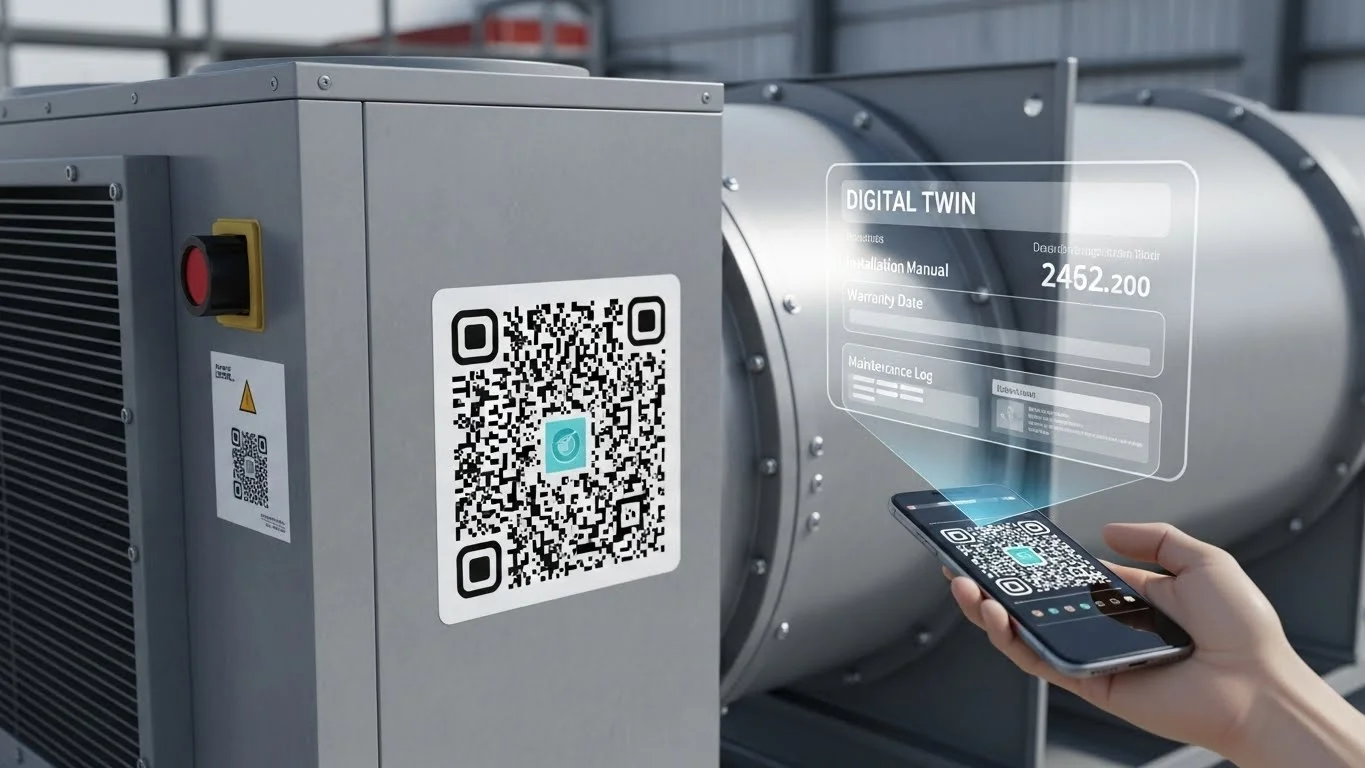
The physical building and the digital model are often disconnected. You can look at a pump in the basement, but you don't know its maintenance schedule. You can look at the pump in the model, but you don't know if it has been installed yet. QR Codes (Quick Response Codes) and Barcodes bridge this gap.
The "Smart Tag" Workflow
- Tagging the Asset: During installation, a physical sticker with a unique QR code is applied to a piece of equipment (e.g., an Air Handling Unit or a Fire Door).
- Linking to BIM: This QR code corresponds to the element's GUID (Globally Unique Identifier) in the BIM database.
- Field Access: A field worker or facility manager scans the code with their iPad camera.
- Instant Retrieval: The app instantly opens the specific page for that
equipment. The user sees:
- The approved Submittal and Shop Drawings.
- The Installation Manual.
- The Warranty Information.
- The 3D Model view of the equipment (to see hidden connections).
- The maintenance history log.
- Engineering Insight: This is particularly valuable for Commissioning (Cx). When a commissioning agent tests a VAV box, they scan the code, enter the airflow test results directly into the iPad, and the data is written back to the central model. This creates a born digital O&M manual.
Video Integration and Augmented Reality
A picture is worth a thousand words, but a video is worth a thousand pictures.
- Video RFIs: Sometimes, a complex site condition is hard to describe in writing. Field crews can record a 30-second video explaining the conflict ("This pipe hits this beam here, but if we move it left, we hit the duct"). This video is embedded directly into the RFI or the Model Issue pin. The engineer in the office watches the video and understands the spatial context instantly.
- Augmented Reality (AR): The frontier of field tech is AR (e.g., using
HoloLens or iPad AR kits). This allows the user to hold up a tablet and "see" the BIM model
overlaid on the real world.
- X-Ray Vision: A superintendent can point the iPad at a finished drywall partition and "see" the pipes and conduits behind it. This is invaluable for locating valves or avoiding hits before drilling.
- Visual verification: Before the wall is framed, the team can walk the floor with AR glasses and see the "ghost" of the future wall. They can visually check if the layout matches the slab penetrations and verify that the room feels the right size.
IV. Safety and Logistics: The Digital Shield
Safety is the paramount value in construction. Field technology and BIM play a crucial role in shifting safety from a reactive policing action to a proactive planning strategy.
Digital Roll Call and Site Access
Knowing who is on site is the first step in safety.
- Barcode Hard Hats: Many modern sites utilize sticker barcodes or RFID chips on worker hard hats.
- Access Control: When a worker enters the turnstile, they scan their
badge/helmet. The system checks their profile in real-time:
- Have they completed the site safety orientation?
- Is their insurance certificate valid?
- Do they have the required certifications (e.g., welding ticket, crane operator license)?
- Emergency Evacuation: In the event of a site emergency, the safety director can instantly pull up a "Digital Roll Call" on their tablet to see exactly how many people are in each zone of the project, ensuring no one is left behind.
Visualizing Safety Hazards
We used 4D BIM to plan the schedule; now we use it to plan the safety.
- Fall Protection Planning: The BIM team can model the temporary safety rails and tie-off points. Before a crew goes up to work on the steel, they review the 3D model in the morning toolbox talk. They see exactly where the anchor points are located and identify the "leading edge" hazards.
- Crane Safety Zones: As discussed in BIM for Preconstruction, the crane swing radius is modelled. In the field, this data can be pushed to the crane operator's cab computer. If the boom approaches a "No-Fly Zone" (e.g., near power lines or a neighbouring school), the system can alert the operator or even physically limit the movement.
The Feedback Loop: Safety Observations
Technology allows for the crowdsourcing of safety.
- "Good Catch" Programs: Workers are encouraged to use the mobile app to report "near misses" or potential hazards. They snap a photo of a frayed extension cord or an unguarded opening.
- Heat Mapping: The safety director analyzes this data in the office. They might notice a cluster of "unsafe ladder use" reports in the mechanical room. This data drives the topic for the next morning's safety meeting, making the training specific and relevant to the actual site conditions.
V. Detailed Implementation Strategy: "Go Slow to Go Fast"
Implementing field technology is not as simple as handing out 50 iPads on a Monday morning. That is a recipe for disaster. A structured implementation strategy is required.
Phase 1: The Pilot Project
Do not roll out a new platform (like BIM 360 or Procore) company-wide instantly. Select a "Pilot Project."
- Criteria: Choose a project with a tech-savvy superintendent and a supportive Project Manager. The team culture is more important than the project size.
- The Sandbox: Treat this project as a laboratory. Test the hardware, test the WiFi range, and refine the folder structures. Find the bugs in a controlled environment.
Phase 2: The Champion System
You cannot support 500 field workers from the corporate IT office. You need "Field Champions."
- Identification: Identify the foreman or assistant superintendent on the job site who naturally gravitates towards the tech. They are the ones who already have a smartphone and are curious.
- Empowerment: Train this person extensively. Make them the "Super User." When a carpenter on the third floor forgets how to upload a photo, they ask the Field Champion, not the IT Helpdesk. Peer-to-peer training is infinitely more effective than corporate training.
Phase 3: Standardization and Training
Once the pilot is successful, standardize the workflow.
- The "Playbook": Create a standard "Field Technology Playbook." This document defines the naming conventions for files, the colour standards for markups (e.g., Red for Architect, Blue for Contractor), and the frequency of data syncing.
- Bootcamps: Run hands-on bootcamps. Do not rely on PowerPoint. Put the iPads in the workers' hands and make them perform the tasks: "Take a photo," "Mark up a cloud," "Slip-sheet a drawing." Muscle memory is key.
VI. Overcoming Common Roadblocks
1. "The Screen is too small."
Challenge: Superintendents who are used to viewing E-size (30x42 inch) drawings hate viewing full floor plans on a 10-inch iPad.
Solution:
- Hardware Mix: Provide a mix of hardware. iPads are for walking and quick checks. The "Kiosk" (55-inch screen) in the trailer is for detailed plan review.
- Zoom Hygiene: Train users on the "Bookmark" features in PDF software. Instead of pinch-zooming frantically, they can tap a bookmark to instantly jump to "Enlarged Plan - East Wing."
2. "The WiFi is Terrible."
Challenge: Concrete cores and steel decks act as Faraday cages, blocking signals.
Solution:
- Offline Mode: Ensure the chosen software has a robust "Offline Mode." The workflow should be: Sync in the trailer (coffee time) -> Work offline in the field -> Sync again at lunch.
- COW (Cell on Wheels): For massive sites, invest in portable cellular repeaters or dedicated job site mesh networks. Connectivity is now a utility, just like temporary power.
3. "I Don't Trust the Cloud."
Challenge: Fear of data loss or unauthorized access.
Solution:
- Data Sovereignty: clearly define who owns the data in the contract (as discussed in the Hub article).
- Backup Protocols: Automate weekly backups from the cloud to a local server. This provides a psychological safety net for the team ("We have a copy on the hard drive").
Conclusion: The Virtual Job Site Reality
The most perfectly modelled building in the world is useless if that data stays trapped in a high-end workstation in the corporate office. By bridging the gap with field technology—by building the Virtual Job Trailer, empowering the workforce with Tablets and Apps, and connecting the physical assets with QR Codes—we democratize the data.
We move from a culture of interpretation (looking at a 2D line and guessing) to a culture of information (querying the model and knowing). We reduce the latency of information from days to seconds. We enable the "Jidoka" concept in the field, allowing workers to stop the line and fix the process because they have the right information at the right time.
This digital transformation of the field is the prerequisite for the next phase of our journey. Once the field is connected and the data is flowing, we can move to Strategies for Clash Detection and Fabrication, where we explore how to manage the complex geometry of fabrication and installation in this new, connected reality.