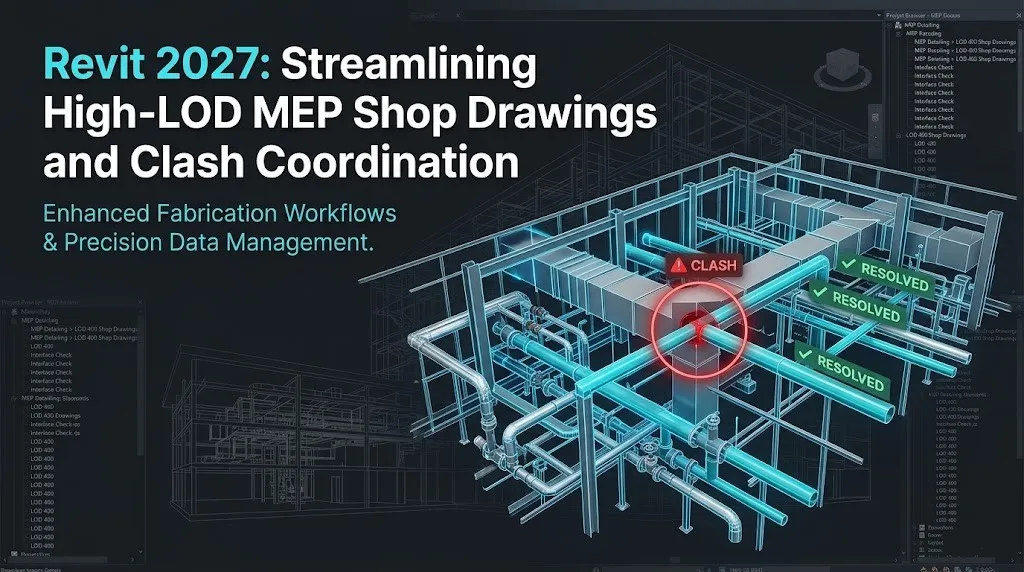
The new Autodesk Revit 2027 is a game-changer for High-LOD MEP detailing. MEP shop drawing coordination is getting better. As mechanical, electrical, and plumbing projects get complicated and more people are working together, VDC professionals need software that can handle a lot of fabrication data, make it easier for people to work together, automate routing tasks that are done again and again, and help get spool drawings done faster.
Autodesk Revit 2027 is coming out at a time when the AEC industry is changing a lot. The architecture, engineering, and construction industry is changing to:
- High-LOD 400 fabrication workflows
- Cloud-connected clash coordination
- Data-driven spool generation
- Automation and AI-assisted routing
- Faster digital construction delivery
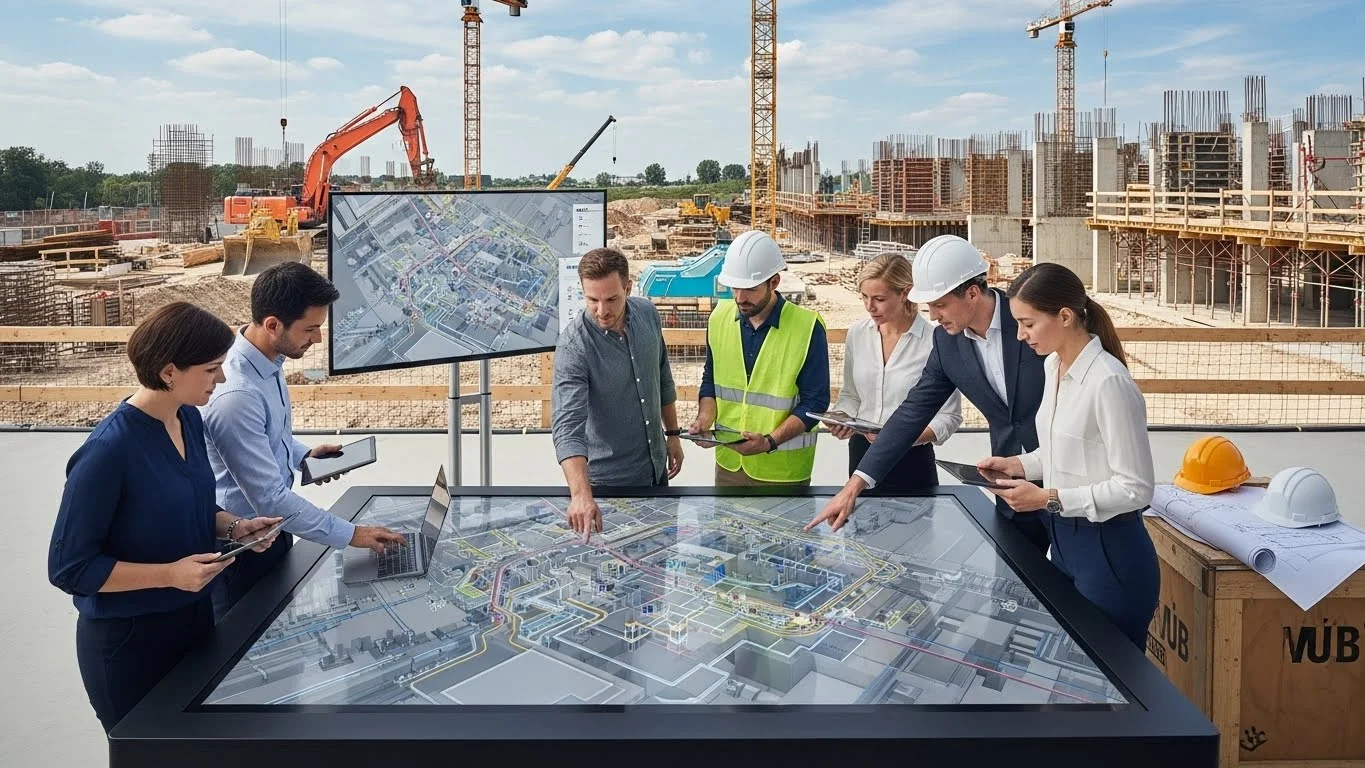
Modern MEP coordination projects have many people working together at the same time. Mechanical engineers, electrical detailers, structural engineers, contractors, and BIM managers all need to work together to make sure shop drawings are done correctly and on time.
What's New in Revit 2027
Revit 2027 helps MEP professionals directly. It does this with tools and features tailored for fabrication. The Autodesk Assistant and the new Model Context Protocol (MCP) work together. They make Revit 2027 more useful for engineering leads.
Autodesk Revit 2027 is focused on making the software faster, smarter, and easier to use when working on complicated mechanical and plumbing layouts.
Revit 2027 Comprehensive Industry Guide
Running multi-disciplinary projects across evolving software cycles requires deep technical insight. If your macro-level workflows span beyond core engineering into full architectural design and core platform changes, review our ultimate feature breakdown to optimize your firm's deployment.
REVIT 2027: EVERYTHING NEW ARCHITECTS AND BIM PROFESSIONALS NEED TO KNOWFaster Performance
Revit 2027 has several enhancements that will make project coordination and clash resolution even more efficient. The release is dedicated to the improvement of the software's speed, intelligence, and collaboration, as well as the user experience of large and complex federated models. The following are some of the most notable changes in Revit 2027:
- Faster federated model loading
- Better synchronization speeds across disciplines
- Improved linked structural and architectural model handling
- Reduced lag in heavy documentation views and sheets
- More stable work-sharing performance
- Better responsiveness during tag placement and scheduling
These improvements are especially beneficial for projects such as High-rise towers, Airports, Hospitals, Commercial developments, and Infrastructure projects. Every minute counts when working with LOD 400 detailing on complex projects every day.
Scale Up Your Virtual Design & Construction Capabilities.
Deploy an agile production team specializing in multi-disciplinary modeling, clash detection, and high-maturity documentation schedules. Maximize your project delivery speed while significantly reducing project overheads.
AI Inside Revit 2027
It seemed like science fiction for a long time—automatic routing, quick parameter checks, and autonomous BIM processes in AI in the AEC industry. The approach of Autodesk Revit 2027 is more realistic. That really makes it practical for engineering leads.
Revit 2027 is not about replacing MEP detailers. It helps eliminate problems that slow down teams. The new Autodesk Assistant features in Revit 2027 work to speed up repetitive tasks and help navigate dense fabrication projects.
Did You Know?
Fresh market data from Q2 2026 highlights a massive acceleration in technology deployment on jobsites, revealing that 38% of contractors now report a measurable business impact from active AI integration, more than doubling the 17% adoption rate recorded just a year ago.
This shift makes the feature feel practical rather than experimental. It is less about "AI replacing detailers" and more about:
- Saving spool generation time
- Reducing repetitive parameter entry
- Improving routing continuity
- Helping coordination teams work smarter inside Revit
Despite the intense industry focus on artificial intelligence, a global survey of 1,000 AEC professionals by ASCE and Bluebeam reveals that only 27% of firms currently use AI in their daily operations. However, 94% of those early adopters plan to scale their usage in 2026 as workflows shift away from manual clash checking.
Autodesk Assistant is Now Part of the Workflow
One of the biggest changes in Revit 2027 is how Autodesk Assistant is integrated directly into the software environment to help with dense MEP systems.
Earlier, BIM professionals often had to:
- Search online for fabrication workflow help.
- Watch tutorials during production.
- Navigate through multiple dense MEP menus.
- Manually locate duct and pipe sizing commands.
Now, assistance feels more connected to the actual project workflow. This creates a smoother experience because users spend less time leaving the software to solve small coordination issues.
Users can interact with the assistant to:
- Access fabrication part information faster
- Find routing commands quickly.
- Get slope automation guidance.
- Navigate clash tools more efficiently.
- Organize complex system data inside Revit.
What is MCP?
MCP stands for Model Context Protocol. It helps AI tools understand what is happening in a complex MEP project. Earlier AI systems could answer questions, but they did not really get the context of an LOD 400 model.
They could not recognize:
- Fabrication part relationships
- Mechanical system structures
- Pressure zone connections
- Active clash coordination workflows
Revit 2027 changes this by allowing AI-assisted tools to interact more intelligently with the project environment itself.
That means the software can better understand:
- Duct and pipe parameters
- MEP views and sheets
- Live geometric information
- Spool workflow structures
- Documentation context
Did You Know?
Real-world application testing of Revit 2027's new Model Context Protocol (MCP) server highlights a massive upgrade in data extraction. External AI systems can now read live model elements, geometric values, and parameters directly from an open project file in real time, completely eliminating the need to manually export static schedules or screenshots to audit your MEP shop drawings.
Explore the technical framework details via Revit 2027: What the Built-In MCP Server Actually Does in Practice to see live structural breakdowns of how the protocol processes native open model environments.
AI Focuses on Reducing Workflow Friction
One reason these features feel practical is because Autodesk is not treating AI as a dramatic replacement for MEP professionals. Instead, the focus is on reducing the small repetitive actions that consume time every day.
For example, BIM teams regularly spend hours:
- Searching through dense project browsers for specific system views
- Managing fabrication part data
- Organizing hundreds of spool sheets
- Reviewing mechanical equipment schedules
- Coordinating clearance information between disciplines
These tasks are necessary, but they slow down production significantly over long project cycles. Revit 2027 uses AI and MCP-powered workflows to make these interactions feel more fluid and less manual.
Collaboration in Revit 2027
Projects are no longer handled by a single office working on local servers. Even project sizes of just a few hundred people are often distributed and work from various places. The software must let architects, structural consultants, electrical and plumbing engineers, contractors, and BIM coordinators talk to each other throughout the project lifecycle.
This is why the new features in Autodesk Revit 2027 are important. Autodesk is working hard to make it easier for teams to work together on projects, which can be really complicated with heavy federated models, routing updates, and clash information being shared. Autodesk Revit 2027 is helping teams to work together easily.
Shared Models Feel More Stable During Active Projects
One of the biggest frustrations in collaborative MEP environments has always been work-sharing interruptions.
On large projects, teams frequently deal with:
- Long synchronization times after clash resolution
- Central model delays when saving fabrication layouts
- Duct and pipe routing conflicts
- Linked structural model coordination issues
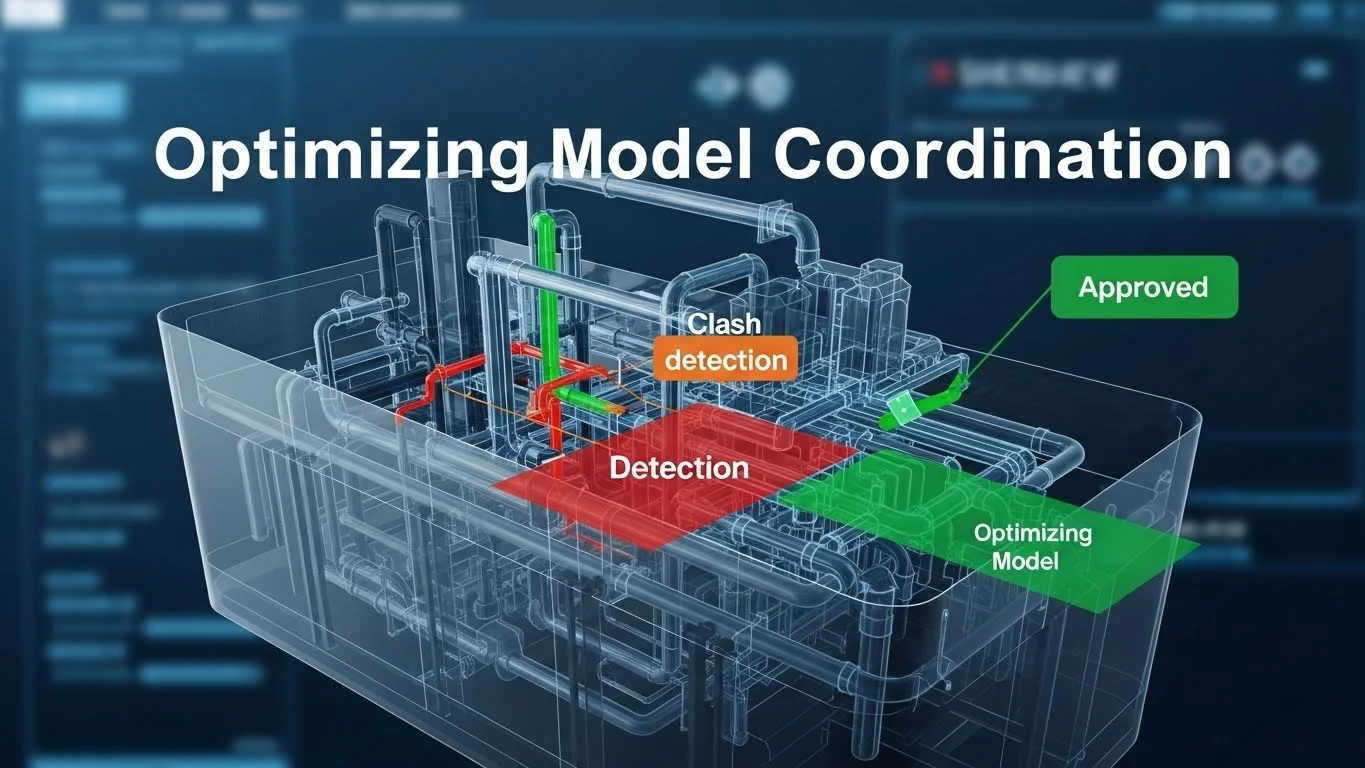
Revit 2027 makes it better by making sure that everyone can work together smoothly. The internal interference checks are easier to do, distinguishing between hard clashes and clearance warnings. Teams can make routing changes throughout the day without any problems.
Detailed Coordination & Risk Management Guide
Resolving design discrepancies before field mobilization goes beyond spatial organization; it significantly influences jobsite security metrics and eliminates expensive reconstruction delays. Read our exhaustive guide on how advanced structural check models mitigate risks across the jobsite ecosystem.
HOW CLASH DETECTION IMPROVED CONSTRUCTION SAFETY & REDUCED CHANGE ORDERSAutodesk Construction Cloud Integration
Revit is no longer just a design tool sitting separately from construction workflows. It is increasingly becoming part of a larger connected ecosystem where project information flows continuously between detailing teams and the fabrication shop.
Revit 2027 strengthens this connection by supporting better coordination between:
- Fabrication model updates
- Spool documentation workflows
- Clash issue tracking
- Shared project environments
Documentation Workflows in Revit 2027 Feel Far More Efficient
In most MEP projects, 3D modeling usually gets the attention, but documentation is where teams spend a huge portion of their actual production time. And honestly, this is where workflows often become exhausting.
Large projects involve constant management of:
- Spool sheets
- Equipment schedules
- Pipe and duct tags
- Annotations and dimensions
- View placements
- Revision updates for field changes
As detailed above, Autodesk Revit 2027 does not bring in game-changing new documentation tools, but it does enhance the entire experience for using documentation-heavy workflows. It is a process that feels faster, cleaner, and less frustrating during the daily production process.
Today, sheets, schedules, model updates, and coordination workflows are constantly connected across disciplines. A small structural revision can affect multiple mechanical views, sheets, and project deliverables almost immediately.
Revit 2027 improves this interconnected workflow by helping documentation environments feel:
- More organized
- Easier to manage
- Better coordinated across engineering teams
Sheet Management Feels Less Stressful
Revit 2027 improves this experience by making sheet workflows feel more responsive and easier to navigate. Handling hundreds of MEP shop drawing sheets now feels smoother during production.
Tasks such as:
- Opening complex floor plan sheets
- Switching between section views
- Managing layout grids
- Updating massive documentation sets
Schedule Handling Feels More Responsive
One of the most crucial components of MEP detailing is scheduling, as it directly links equipment data and Bills of Materials (BOMs) to the model. Revit 2027 enhances schedule responsiveness to create a more stable and efficient data-heavy work experience. But on large projects, schedules can be hard to manage because of:
- Heavy fabrication datasets
- Slow part updates
- Complex filtering by the system
- Repetitive revisions
Instead of fighting the software during documentation phases, teams can move through project information more fluidly. This becomes especially valuable in projects where BOM schedules constantly evolve alongside routing and coordination updates.
Annotation Workflows Feel Cleaner
One of the most repetitive parts of MEP documentation is annotation management. Revit 2027 improves annotation workflows by making project navigation and documentation handling feel more organized overall. Users spend less time manually adjusting tags when a pipe moves, and more time focusing on project accuracy.
Throughout production, BIM teams repeatedly handle:
- Multi-category tags
- Slope dimensions
- Clearance notes
- Equipment symbols
- Detail references
These tasks may seem small, but across large documentation packages, they consume huge amounts of time. And honestly, this creates a much less exhausting documentation environment during long production cycles.
The Small Changes in Revit 2027 Users Will Notice Every Day
Not all major software enhancements are based on a huge new feature. In some cases, it is the little things that detailers encounter day after day that make all the difference: the clicks they do not need to make, the menus that are not so difficult to navigate, or the times when the software just seems less tiring to work in. Believe me, this is one of the features of Autodesk Revit 2027 that is not talked about enough.
This release does not completely redesign the interface or radically change how MEP professionals work. Instead, Autodesk has focused on refining the everyday user experience in ways that feel subtle individually but extremely valuable over time.
Working Inside Revit Feels Less Cluttered
One issue many BIM professionals face during long routing sessions is interface fatigue.
Large projects already demand constant attention:
- Coordinating internal clashes
- Managing spool sheets
- Reviewing load balancing data
- Switching between plumbing and electrical disciplines
- Handling site revisions
When the software gets too cluttered, it slows down your work. Revit 2027 makes the workspace cleaner and easier to use. Access to fabrication tools feels more organized, moving between workflows is smoother, and project environments feel less overwhelming during production.
Project Browsing Feels More Natural
On large BIM projects, users constantly move between:
- 3D coordination views
- Spool sheets
- Fabrication schedules
- Manufacturer families
- Linked architectural models
- Documentation sets
Earlier workflows could sometimes feel slow or fragmented because navigating through project data required too much manual searching. Revit 2027 improves this experience by making project organization feel more intuitive. Moving through complex mechanical systems now feels more fluid, especially in documentation-heavy environments.
Fewer Interruptions During Production Work
One thing Revit 2027 quietly improves is workflow rhythm.
In older BIM environments, production often felt interrupted by:
- Small navigation delays
- Repeated menu searching for fittings
- Unnecessary clicks to edit seams and airturns
- Constant window switching between Navisworks and Revit
Individually, these moments may seem minor. All these small things can be added up to cause problems with a big project. Revit 2027 makes it easier by making the process smoother and less boring. BIM models are becoming the place for all project information, linked to design, coordination, fabrication, and operations, all in one process.
Why Revit 2027 Matters for Large BIM Projects
An area where Autodesk Revit 2027 makes a difference is in the execution of large Building Information Modeling projects. Many small commercial layouts could be easily handled in any BIM environment. But once projects become larger and more complex, software limitations begin appearing very quickly. Teams start dealing with:
- Heavy central federated files
- Slow 3D navigation
- Coordination bottlenecks
- Massive, linked structural models
- Delayed synchronization
- Large documentation packages
And honestly, these challenges become exhausting during long production cycles. That is why many of the improvements in Revit 2027 feel especially valuable for enterprise-scale MEP workflows.
Convert Physical Spaces into Coordinated 3D Models.
Transform raw field data, point clouds, and laser scans into highly optimized, parametric REVIT models built directly to your strict execution standards. Eliminate execution friction before your construction team mobilizes on-site.
Large Models Feel More Manageable
The software is more stable to work with complex BIM environments, particularly in multi-disciplinary projects where linked files constantly interact with each other. The new version of Revit 2027 is enhanced for working on large projects by providing a faster working environment during:
- Federated view navigation
- Clash coordination
- Synchronization
- Documentation workflows
Rule-Based Numbering Feature
A major highlight for MEP documentation is the new Rule-Based Numbering. It allows for the automated numbering of spool tags, equipment, and fabrication parts based on specific parameters. It eliminates the manual hours historically wasted on renumbering elements when designs change, ensuring your shop deliverables are always perfectly sequenced.
Multidisciplinary Coordination Becomes Smoother
Revit 2027 enhances the loading, updating, and management of linked models between disciplines. This creates a much smoother coordination experience during active project development.
In older workflows, coordination between these disciplines could often slow down because of:
- Heavy-linked structural files
- Slow clearance updates
- Shared model conflicts
- Navigation lag
Documentation at Scale Feels More Stable
Revit 2027 improves the experience of handling large documentation environments by making workflows feel:
- Faster
- Cleaner
- More organized
- Less interrupted
Even small improvements in sheet navigation and BOM schedule responsiveness create noticeable productivity gains when multiplied across large MEP projects.
Better Stability Improves Team Productivity
Autodesk has worked hard to ensure workflow continuity, thanks to which Revit 2027 feels more refined in this respect. This makes the BIM production process much less stressful when working under high time constraints for shop drawing delivery.
The software now handles:
- Shared clash environments
- Large, linked architectural files
- Multi-user routing coordination
- Dense MEP models
Revit 2027 and the Future of Intelligent BIM
A few of the updates in Autodesk Revit 2027 are improvements to existing workflows, but there is also a more significant message: what will be the future of BIM? The AEC industry is making an incremental shift towards a VDC industry, one that is not simply a design tool but a fabrication engine.
Autodesk is getting ready for the future with Revit 2027. Revit 2027 seems like a step towards the next generation of Virtual Design & Construction workflows, rather than just a small update.
BIM Models Are Becoming Data Hubs
One major shift happening in the industry is how BIM models are evolving into data-rich environments rather than simple 3D representations. This growing dependence on structured project information is changing how detailing teams interact with BIM software.
Revit 2027 supports this transition by improving how project information is organized, accessed, and connected throughout workflows.
Today, an MEP model is expected to contain:
- Engineering design information
- Manufacturer material data
- Clash coordination updates
- Fabrication details
- Asset information
- Operational data
Digital Construction is Becoming More Connected
Collaborative projects will result in disconnected workflows that slow down and rob efficiencies if not managed correctly. Revit 2027 acknowledges this change by enhancing connected project workflows and better BIM to cloud-based coordination integration. Several things will impact the future of BIM:
- Shared data environments
- Real-time clash visibility
- Faster spool coordination cycles
- Better information flows between detailing and the shop floor.
Revit 2027 Feels Like a Transition Point
When you look at the big picture, Revit 2027 does not seem like just another update. It feels like a move towards the true generation of fabrication-ready BIM workflows. The software is slowly changing into something more:
- A smarter clash coordination platform
- A connected project environment
- A data-aware MEP ecosystem
- A more intelligent digital construction tool
And while this transformation is still ongoing, Revit 2027 gives a very clear indication of where the future of VDC is headed next.
Conclusion
Revit 2027 is a significant evolution for today's MEP teams. By enhancing the entire production process, Autodesk has made High-LOD detailing faster, smoother, and more integrated.
With reduced workflow friction, smarter AI-driven tools like MCP and Autodesk Assistant, and better stability for large federated projects, teams can spend less time on technical interruptions and more on accurate routing, clash coordination, and spool delivery. Ultimately, Revit 2027 transforms how the industry produces High-LOD MEP shop drawings.